
瑞士
ISR (In-payment Slip with Reference number)
The ISRs are payment slips used in Switzerland. You can print them directly from Odoo. On the customer invoices, there is a new button called Print ISR.

小技巧
The button Print ISR only appears there is well a bank account defined on the invoice. You can use CH6309000000250097798 as bank account number and 010391391 as CHF ISR reference.
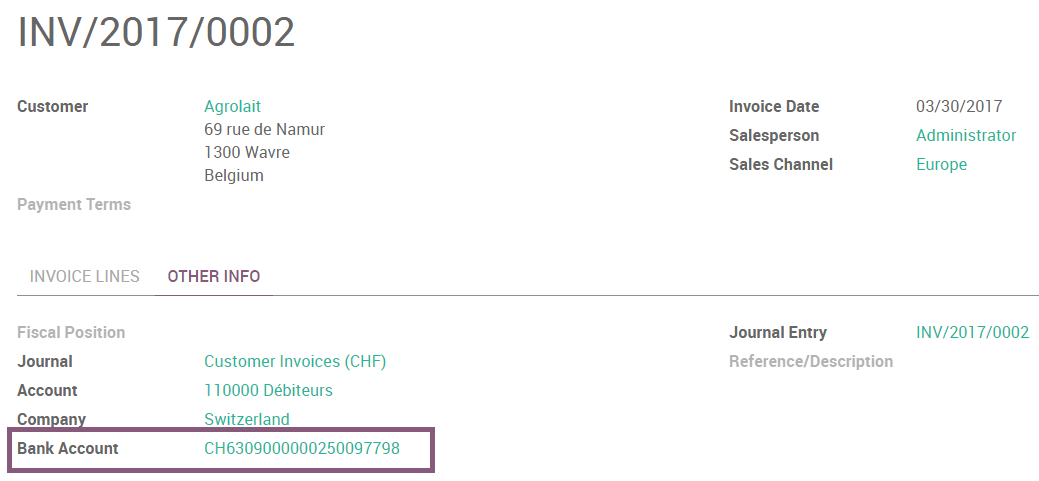
Then you open a pdf with the ISR.
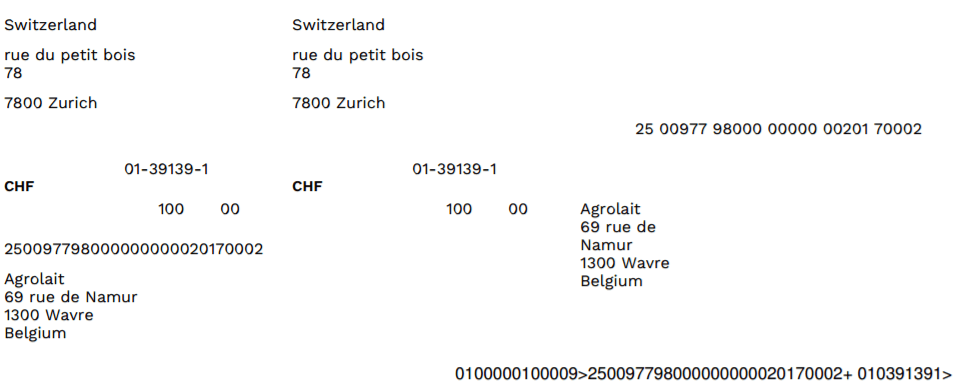
There exists two layouts for ISR: one with, and one without the bank coordinates. To choose which one to use, there is an option to print the bank information on the ISR. To activate it, go in and enable Print bank on ISR:

ISR reference on invoices
To ease the reconciliation process, you can add your ISR reference as Payment Reference on your invoices.
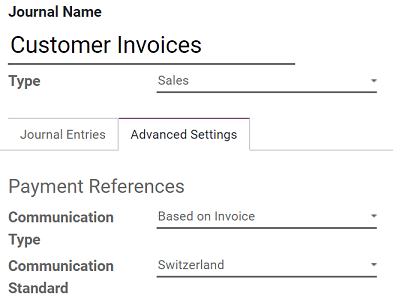
To do so, you need to configure the Journal you usually use to issue invoices. Go to , open the Journal you want to modify (By default, the Journal is named Customer Invoices), click en Edit, and open the Advanced Settings tab. In the Communication Standard field, select Switzerland, and click on Save.
Currency Rate Live Update
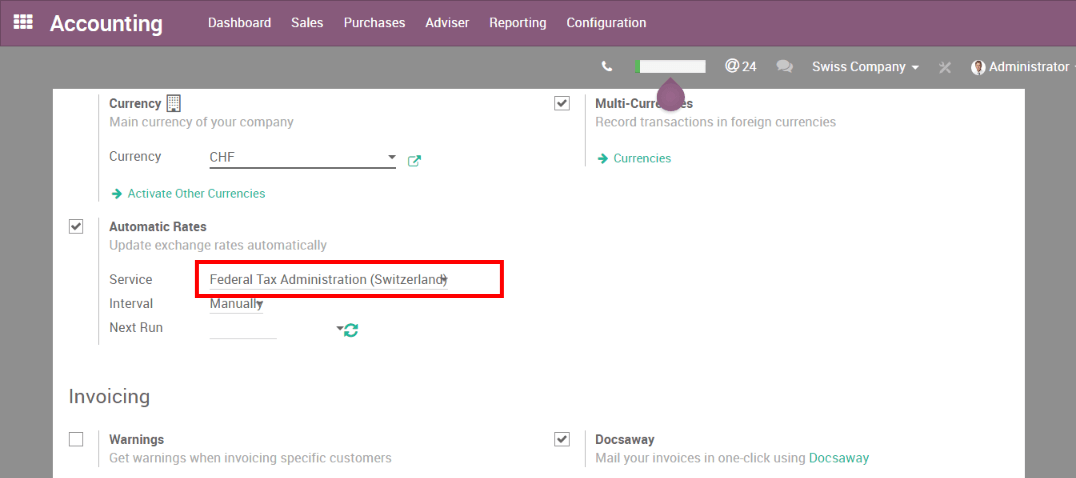
You can update automatically your currencies rates based on the Federal Tax Administration from Switzerland. For this, go in , activate the multi-currencies setting and choose the service you want.
2025 年 1 月增值税更新
自 2025 年 1 月 1 日起,瑞士开始适用新的上调增值税税率。标准税率从 8.0% 调整为 8.1%,酒店业的特定税率调整为 3.8%。基本必需品适用 2.6% 的优惠税率。
ISO 20022 和 SEPA pain 版本
瑞士使用 ISO 20022 格式的一个特定的本地化版本。要配置合适的瑞士格式,请打开 会计 应用,转到 ,然后打开您的 银行 日记账。点击 付款 选项卡,然后点击 添加行,并选择 Swiss ISO20022 。
如果您需要进行 SEPA 付款,可以配置特定的 PAIN 版本。转到 并打开您的 银行 日记账。根据您的配置需求:
点击 传入付款 选项卡,点击 添加行,选择一种 SEPA 付款方式,然后从 SEPA Pain 版本 字段中选择一个版本。
点击 付款 选项卡,点击 添加行,选择一种 SEPA 付款方式,然后从 XML 格式 字段中选择一个版本。
导出 XML 文件
注解
要设置用于 XML 导出的 PAIN 版本,请参阅此 章节 。
要生成您的网上银行门户所需的每日 XML 付款文件,请 创建批量付款 。Odoo 会将生成的 XML 文件直接附加到聊天记录中,您可以从中下载并提交给银行。
在 批量付款创建 界面上,点击 验证 之前,您可以通过 费用承担方 字段定义由哪一方承担费用。
另请参阅